


Introduction to Interactive Scenes
📁 ArtVIP/Interactive_scene contains 6 pre-configured digital-twin scenes.
Scene Features
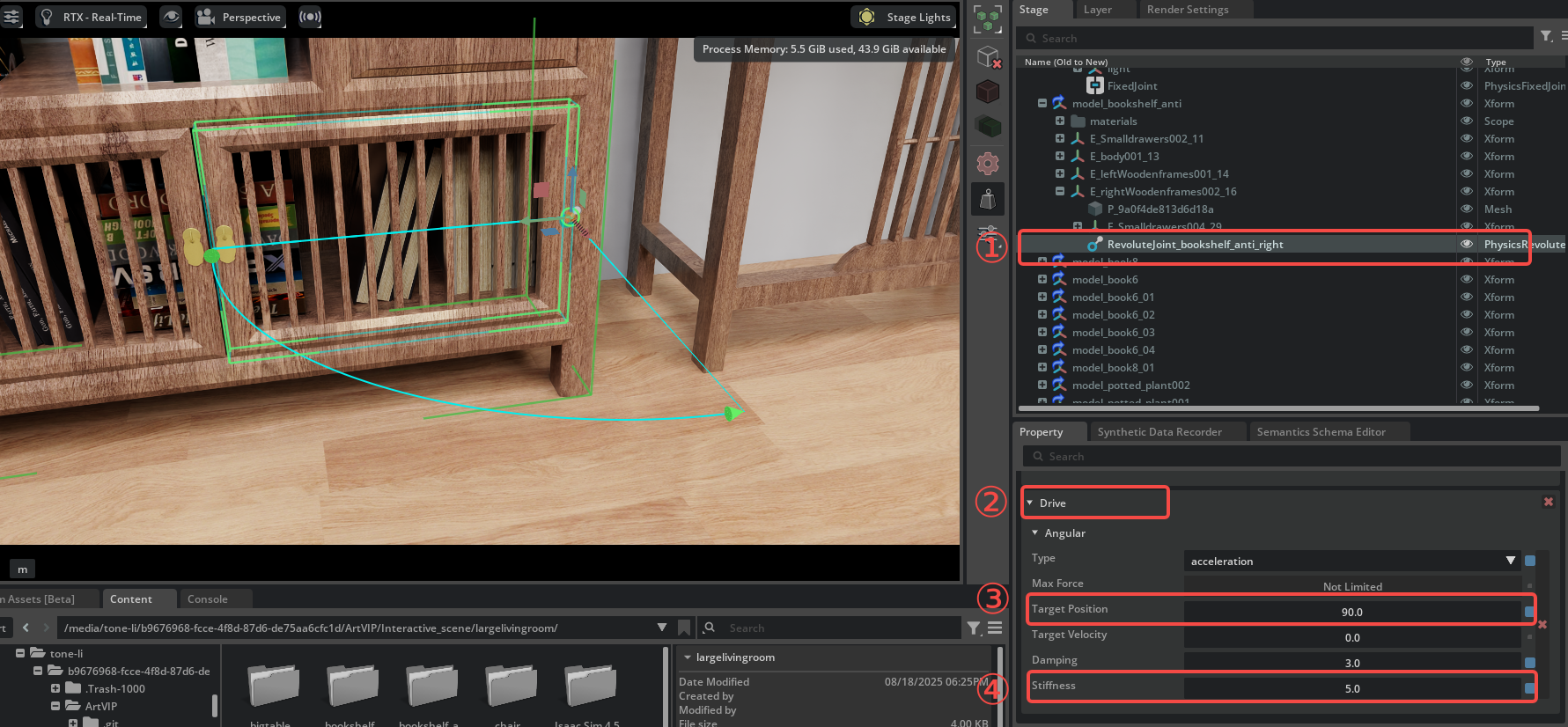
Each scene's USD includes joint drivers with preset stiffness and damping values, and the target position of the drivers is set to 0.
Interaction modes:
- Clicking "Play" will not trigger any actions
- Dragging the joint position will move the object, and it will stop at different positions depending on the magnitude of the drag force
Customization Options
All joint driver parameters can be adjusted as needed, and you can also control the target position via scripting to achieve specific requirements.
For example, to make a joint open automatically, you need to set the joint stiffness value and target position. Joint driver visualization:
Pre-configured Joint States
The following demonstration sets all joint target positions to the enabled state:
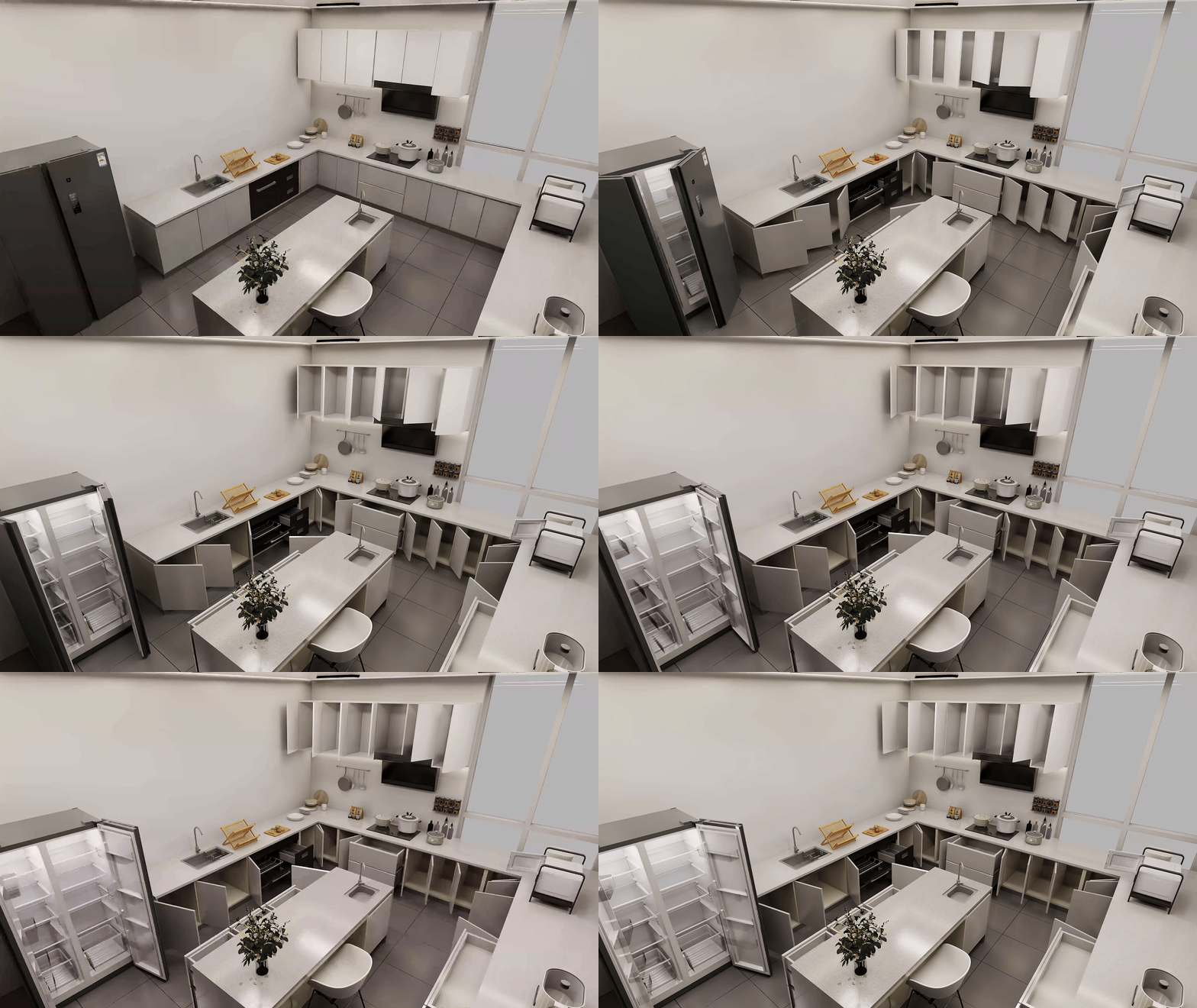


Interactive Demonstrations
The following is a demonstration of interacting with the environment using drag and drop:


